Sell digital products with DenoShop
Updated 30 Aug 2026
See the Kit Kreatif demo shop.(opens in a new tab)
You already make the file. The messy part is getting paid and sending it without pasting a Drive link into twenty WhatsApp chats.
DenoShop is built for that shop. An ebook, a Lightroom preset, a sewing pattern, a course workbook. The customer pays on your page. The file unlocks on their order. You do not email attachments by hand.
Who this is for
You sell something the customer does not wait for a parcel to receive. PDF notes. Digital art. A zip of fonts. A printable planner. A recording.
You might also sell a physical kit that includes a PDF. That works too. Shipping stays on the physical part. The file still unlocks after payment.
What DenoShop does here
- A shop link like
your-shop.deno.myyou can share today. - Checkout with Malaysian payment apps, or bank transfer if that is how you already get paid.
- Files that stay locked until the order is marked paid.
- No shipping step when the cart is only digital.
- An invoice on the order when the customer wants a receipt.
You do not need a courier. You do not need a warehouse.
How to set it up
- Replace the sample product. If you need a shop first, create a shop. New shops come with sample items so you can click around. Open Admin → Catalogue → Products. Edit or add a product for the file you actually sell.
- Mark the variant as digital. On the variant, turn on Virtual item and Downloadable. Both. Virtual tells checkout to skip shipping. Downloadable is what attaches the file. Save once so the variant exists. New variants need that first save before you can upload files.
- Attach the file and save again. Reopen the variant. Add the PDF or zip in the download files section. Then Save. Uploading alone does not finish the job.
- Turn on a way to get paid. Open Admin → Settings → Payment. Keep a method active. Bank transfer is fine if you mark orders paid yourself. A gateway (ToyyibPay, Bayarcash, CHIP Collect, Billplz, or Stripe) marks the order paid when the money lands.
- Place a test order. Buy your own product. An all-digital cart should not ask for shipping. Pay, or mark the order paid. Open the order as the customer and download the file.
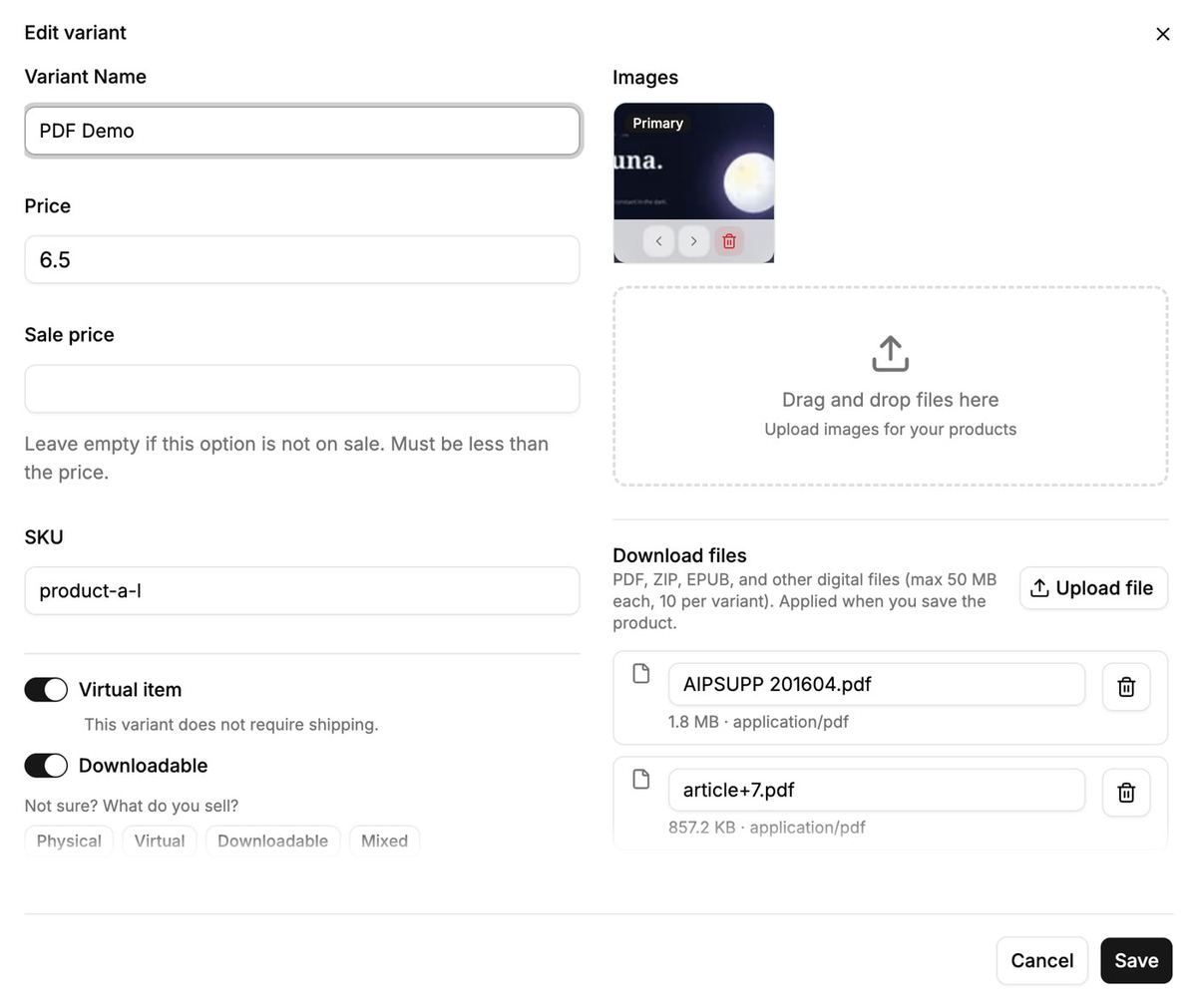
Do not put the paid file in the product photo. Photos are public. Paid files live in the download section so only a paid order can open them.
What your customer sees
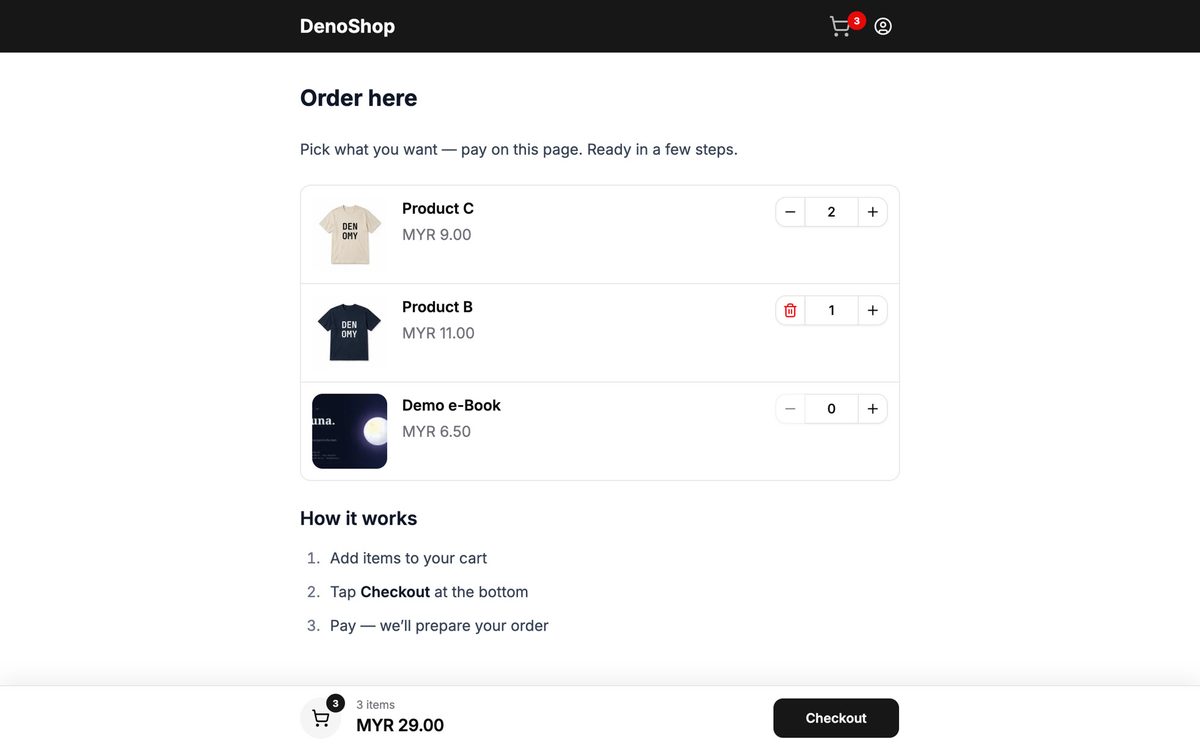
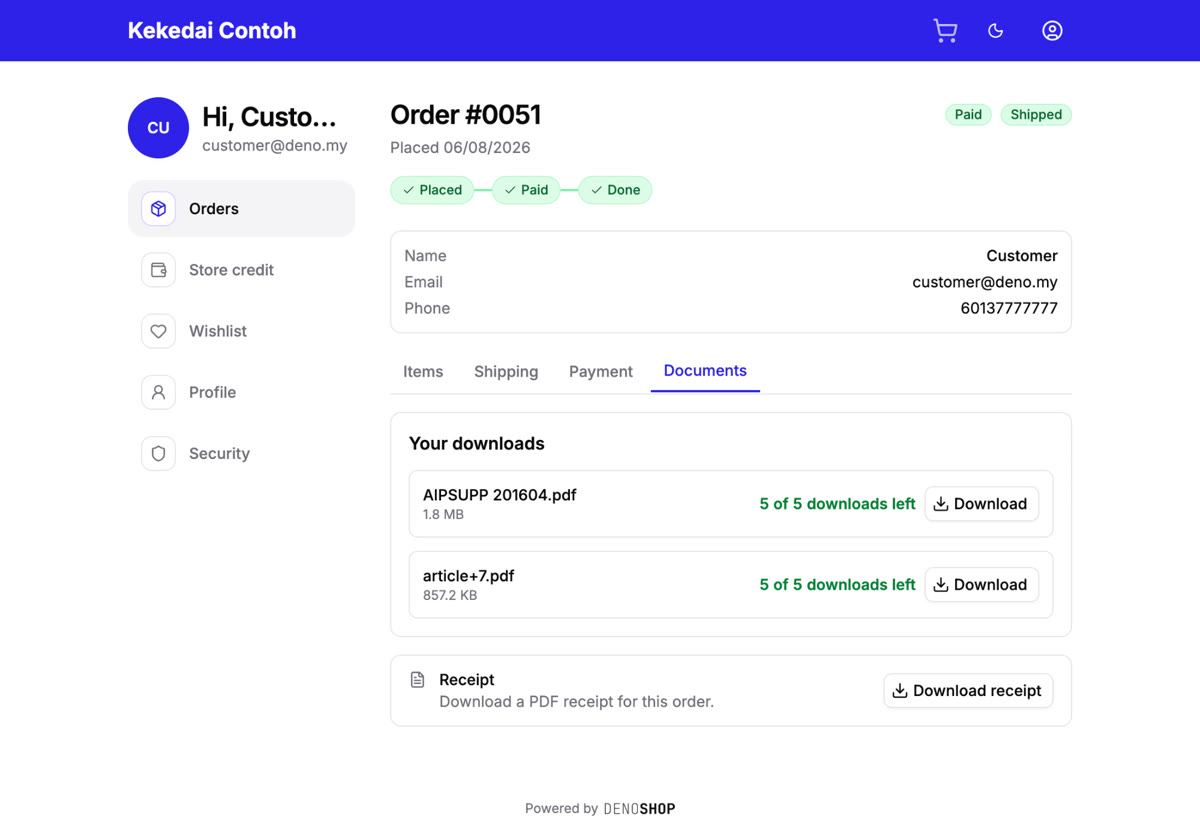
They open your shop, add the product, pay, and download from the order page. Same as a normal DenoShop order. There is just no courier step.
Digital files unlock when payment status is paid. If you use bank transfer, record the payment on the order after you see the transfer. In Admin, the order has a Downloads area if you need to re-enable a file for a customer.
Physical item plus a file
If you ship a box and include a PDF on the same variant, leave Virtual item off and keep Downloadable on. Checkout still asks for shipping. After pay, the file unlocks and you pack the box as usual.
When you are ready for real customers
Replace sample copy and photos. Add your logo under Admin → Theme. Share your-shop.deno.my. Turn off the storefront password when you want the shop public.
Related: Ship a box and include a file, Keep the order on WhatsApp after checkout if you close sales in chat, and the rest of the map under Guides.