
Keep the order on WhatsApp after checkout
Updated 30 Aug 2026
You already close sales on WhatsApp. The messy part is retyping the order number, items, and total every time someone says “transfer done.”
DenoShop keeps a real order. Cart, stock, invoice, Admin. After checkout, the customer can open WhatsApp with that order already filled in. You still confirm the money in Admin. Chat stays the conversation. The shop stays the record.
Who this is for
You sell on Instagram or chat today. Buyers already ask “bila ready?” and send a bank slip on WhatsApp. You may use bank transfer or DuitNow instead of a payment gateway. You want the order written down once, not rebuilt from a screenshot of a chat.
This is not a WhatsApp Business API inbox. DenoShop does not send messages for you. The customer taps through to WhatsApp and hits Send. You reply in the same chat.
What DenoShop does here
- A real order after checkout: number, items, total, and a link back to the order.
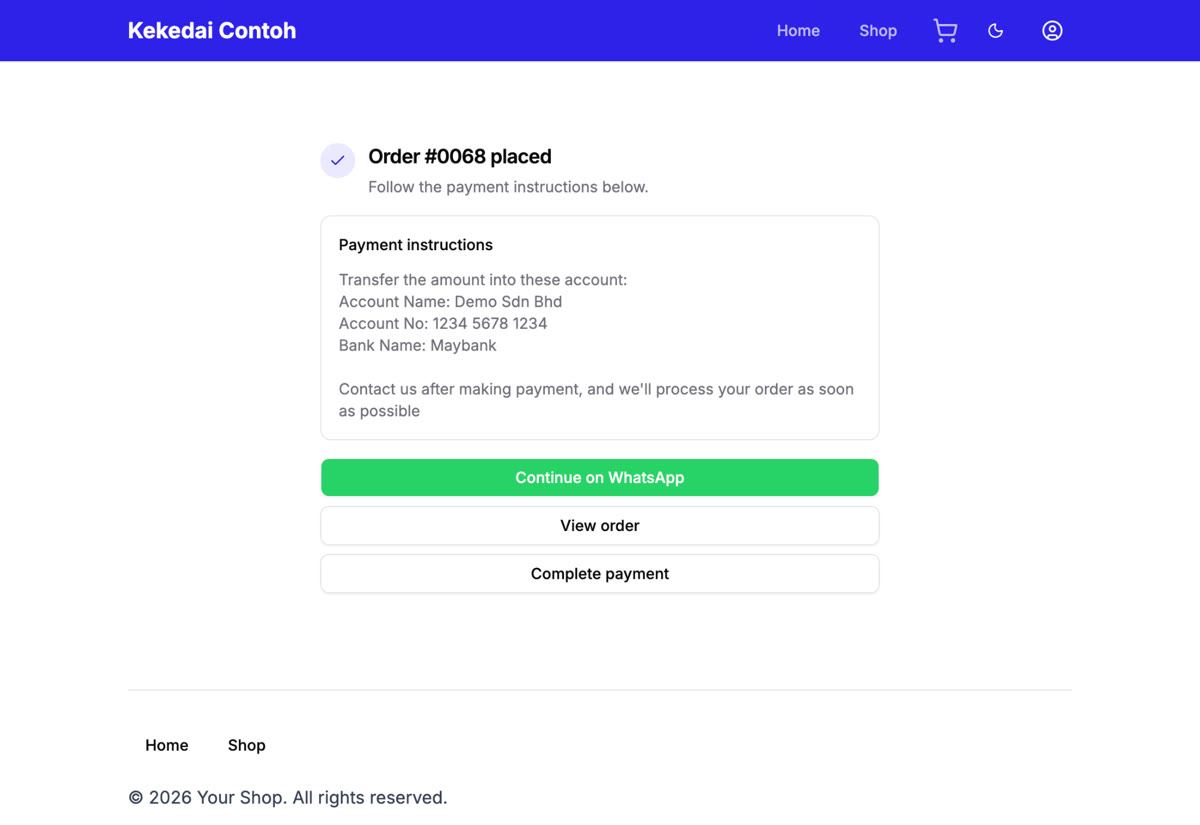
- Continue on WhatsApp on the pay page (and after manual payment instructions) when the order is still unpaid.
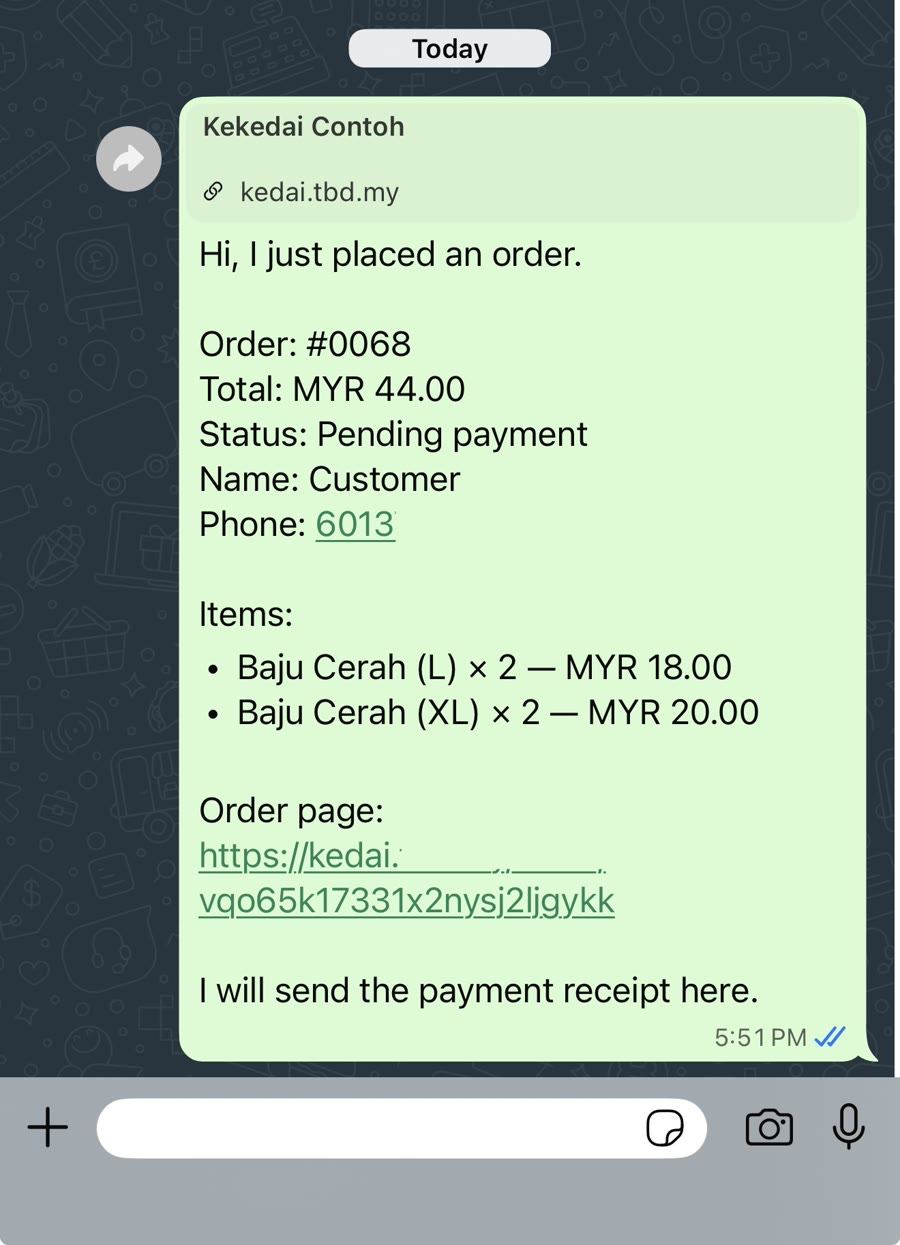
- A prefilled message with order details so nobody retypes the cart.
- Copy for WhatsApp in Admin after you mark paid or update fulfillment, so you can paste a status reply into the same chat.
Opening WhatsApp does not mark the order paid. You still record payment under Admin → Orders when the money arrives.
How to set it up
- Have a shop and a payment method. If you need a shop first, create a shop. Under Admin → Settings → Payment, keep at least one method active. Manual bank transfer is enough if that is how you already get paid.
- Turn on WhatsApp handoff. Open Admin → Settings → WhatsApp handoff. Enable it. Enter your business WhatsApp number. Click Save. Nothing is stored until you save. Handoff is off by default.
- Place a test order. Checkout as a customer. On the pay page (or the screen with manual payment instructions), use Continue on WhatsApp. Confirm WhatsApp opens with the order number, total, items, and order link already in the message.
- Mark paid and reply. In Admin → Orders, record the payment when you see the transfer. Click Copy for WhatsApp in the order header (only when handoff is on). Paste into the chat. The text includes the latest status and a blank Update: line for your note.
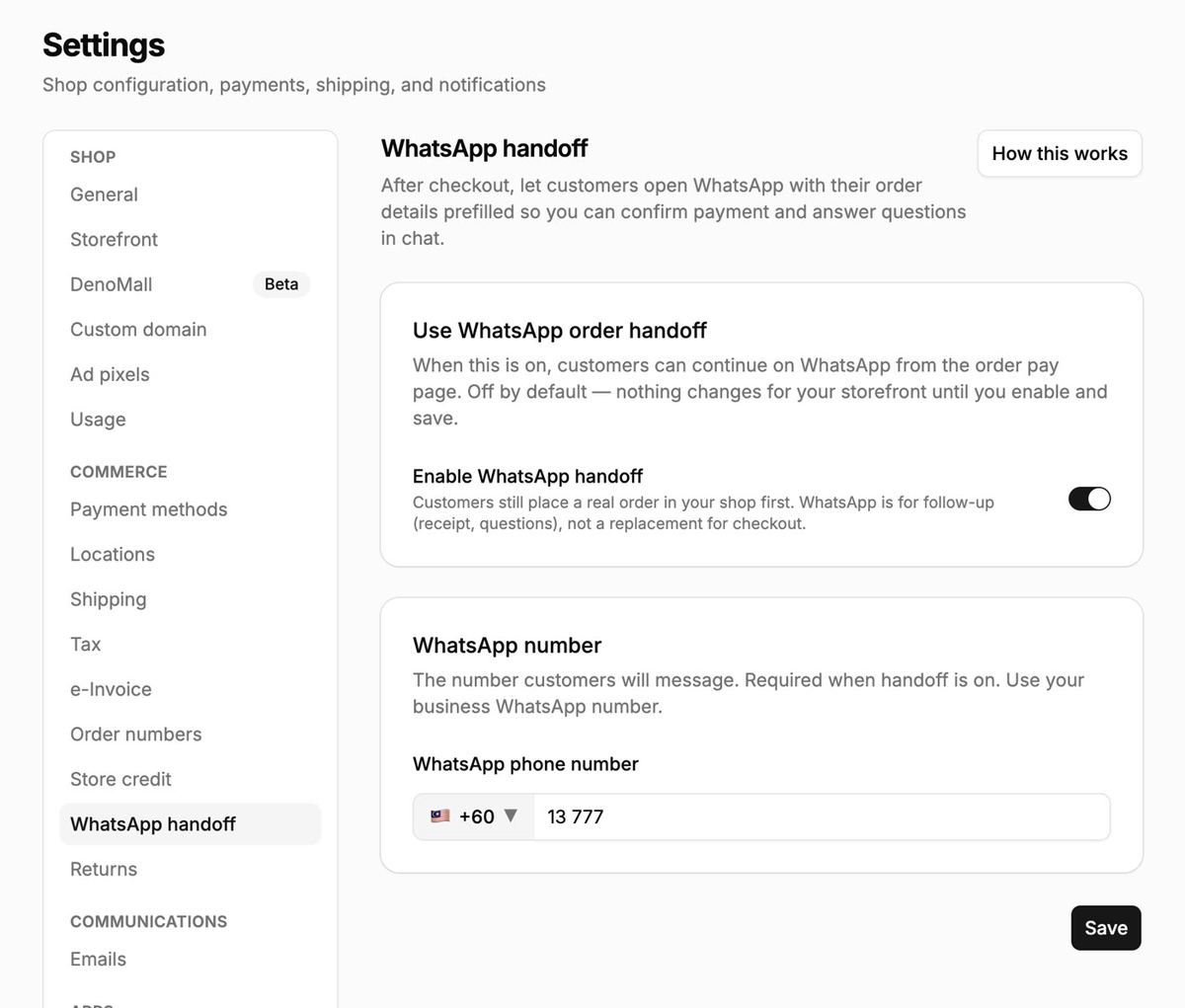
Handoff is built for unpaid orders, especially manual payment. Gateway checkout still works as usual. You do not need Cloud API, templates, or a green tick to use this.
What the customer sends
WhatsApp opens with a ready message: order number, total, status, items, and a link back to the order page. They tap Send. You see the same details in chat that you see in Admin.
What the week looks like
- Customer checks out on your shop.
- They continue on WhatsApp with the order packet.
- They transfer (or pay cash when they collect).
- You mark the order paid in Admin.
- You pack, ship, or hand over.
- You copy a WhatsApp update and paste it back into the chat.
When this is not the right fit
If every order pays through a gateway and you never chat, leave handoff off. If you need WhatsApp to create the order with no DenoShop checkout, that is a different product. This guide keeps checkout first.
When you are ready for real customers
Put clear bank or DuitNow instructions on your manual payment method. Share your-shop.deno.my. Place one full test: checkout → WhatsApp → mark paid → Copy for WhatsApp.
Related: Sell digital products if you also sell files, and the rest of the map under Guides.