Ship a box and include a file
Updated 30 Aug 2026
You ship a kit and the customer also needs the PDF, pattern, or guide. Two deliveries. One checkout.
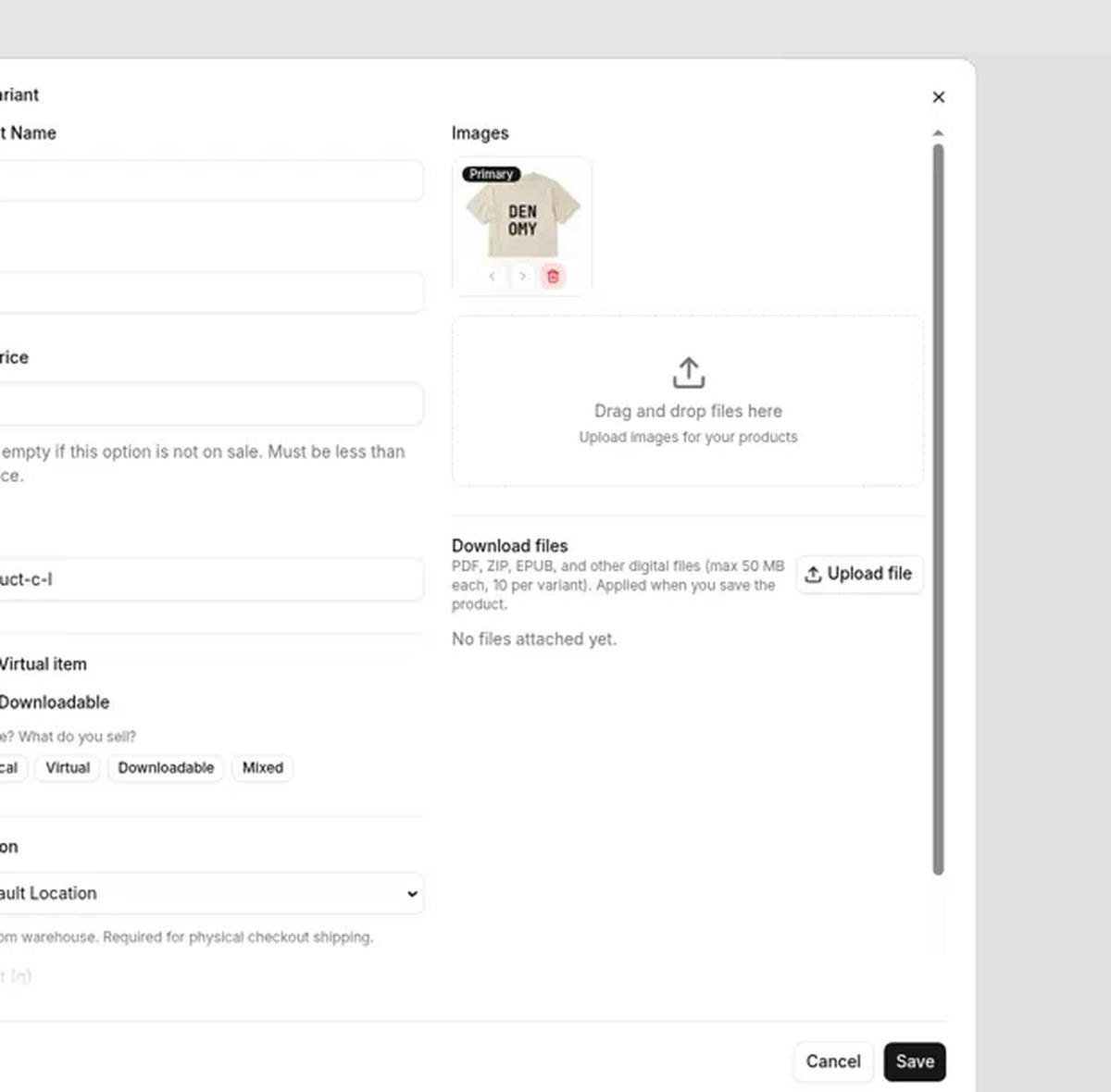
On DenoShop that is one variant with the right flags: leave Virtual item off so shipping still runs, turn Downloadable on, attach the file, and Save. After they pay, you pack the box and they download the file from the order.
Who this is for
Craft kits with a pattern PDF. Hardware with a manual. A printed book plus bonus worksheets. Anything that leaves in a parcel and also needs a file.
What DenoShop does here
- One product line that ships and unlocks a file after pay.
- Shipping only for the physical quantity — virtual-only carts skip it.
- Downloads locked until payment status is paid.
How to set it up
- Open the product variant. Admin → Catalogue → Products. Edit the variant that ships.
- Set the mixed flags. Virtual item off. Downloadable on. Save once if the variant is new — uploads need the variant to exist.
- Attach the file and Save again. Reopen the variant. Add the PDF or zip under Download files. Save. Uploading alone does not finish the job.
- Keep shipping and payment ready. Physical lines still need a shipping rate and an active payment method.
Do not put the paid file in the product photo gallery. Photos are public. Paid files live under Download files so only a paid order can open them.
What your customer sees
Checkout asks for shipping. After the order is paid, Documents on the order shows the download. You fulfill the parcel as usual.
Related: Sell digital products for pure files, and Start selling physical items for ship-only goods.