
Let customers pick up at your shop
Updated 30 Aug 2026
Many of your buyers live nearby. They would rather collect than pay for a rider. You need that choice at checkout — not a note in the bio.
DenoShop treats pickup as shipping. Allow self-pickup on the location, add a Self-pickup method, add a rate (often free), and Save. Then the customer can choose collect-at your address.
Who this is for
Home bakers, boutique owners, stall sellers with a fixed address, anyone whose customers already say “I datang ambil.”
What DenoShop does here
- Location flag: Allow self-pickup.
- Shipping method type Self-pickup plus a rate for that location.
- Checkout choice when pickup and delivery rates both exist.
- Whole-order pickup hides the home delivery address.
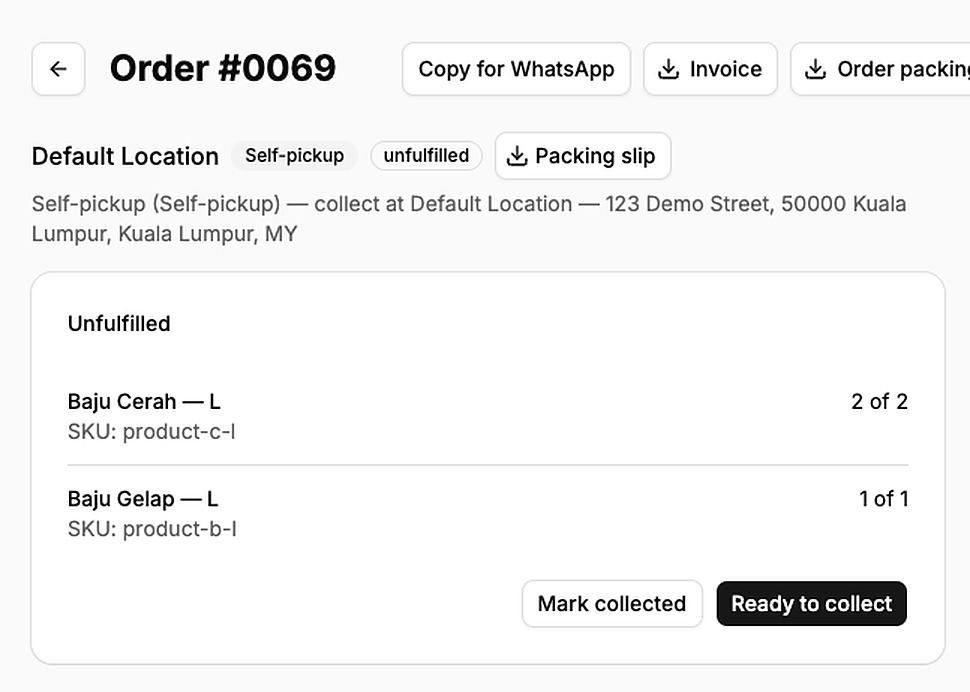
- Order actions: Ready to collect and Mark collected.
How to set it up
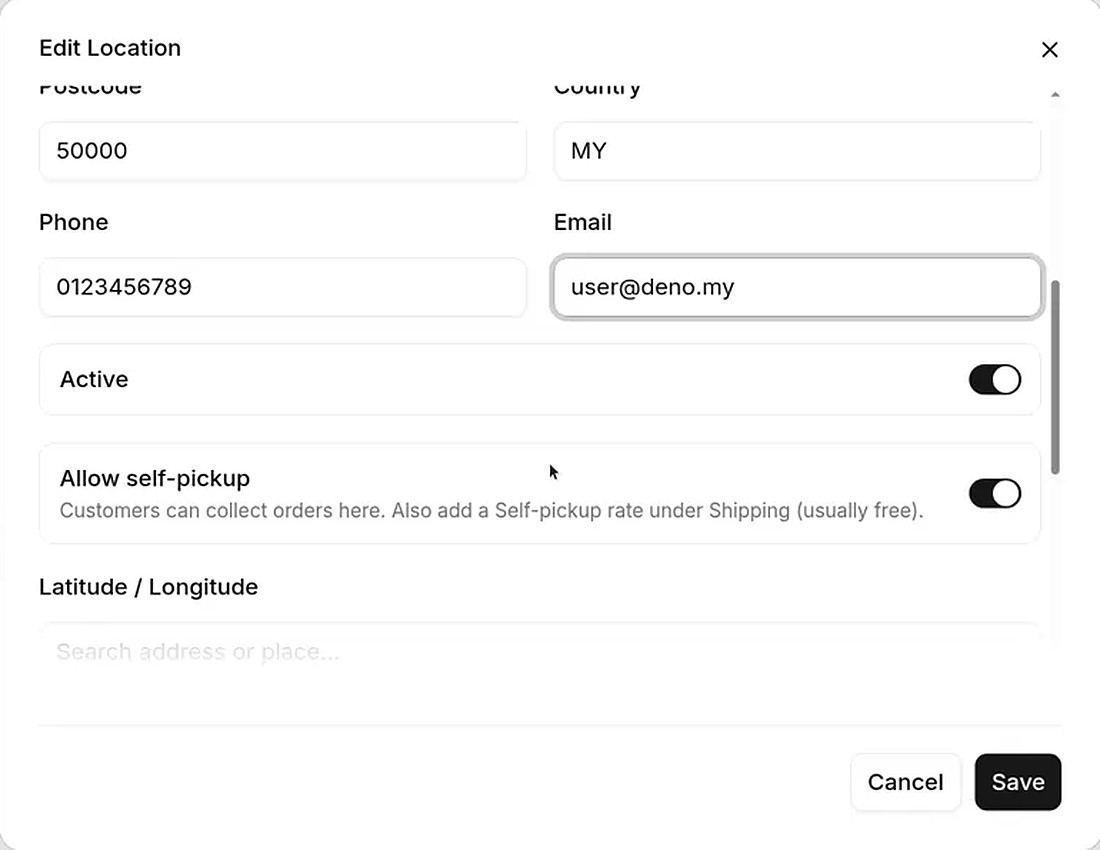
- Turn on pickup at the location. Admin → Settings → Locations. Edit the place they collect. Enable Allow self-pickup. Save.
- Add a Self-pickup method. Admin → Settings → Shipping → Shipping Methods. Add a method with type Self-pickup.
- Add a rate. Under Shipping Rates, add a rate for that location (usually 0). Without a rate, checkout will not show pickup.
- Decide if delivery stays on. Keep delivery rates if you offer both. Remove or deactivate them for pickup-only.
Self-pickup is not the same as a virtual product. Virtual skips shipping for digital or service lines. Pickup is how a physical order is received.
What your customer sees
At checkout they choose collect at your location (wording may say Self-pickup or collect at …). They pay. You mark the order Ready to collect when it is packed, then Mark collected when they take it.
Related: Start selling physical items and WhatsApp after checkout if they still message “dah sampai.”