
Let them pick a delivery day
Updated 30 Aug 2026
You cannot bake the cake in ten minutes. The customer needs a Saturday slot, not a rider at the door tonight.
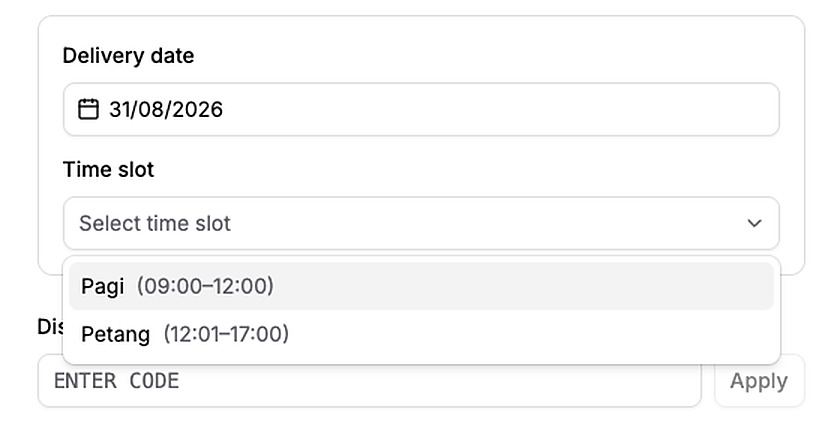
DenoShop lets you set prep lead and, when you enable it, a preferred delivery day (and optional time slots) at checkout. Courier booking can wait until after prep and the chosen day.
Who this is for
Bakeries, florists, caterers, made-to-order gifts — anyone who needs a date before the kitchen or courier starts.
What DenoShop does here
- Default prep lead after paid before auto courier booking.
- Preferred delivery — weekdays, notice, cutoff, capacity, blackouts.
- Optional time slots and a schedule fee.
- Order card for preferred window — Mark ready / Ship now / Edit.
How to set it up
- Open Delivery date & time. Admin → Settings → Shipping → Delivery date & time.
- Set prep time if you need a buffer. Default prep lead in minutes. Zero means booking can follow payment immediately. Save.
- Enable preferred delivery when they should pick a day. Turn Enable on. Set available days, minimum prep days, cutoff for the same day, how far ahead they can book, and capacity. Add blackout dates for holidays. Save — nothing stores until you do.
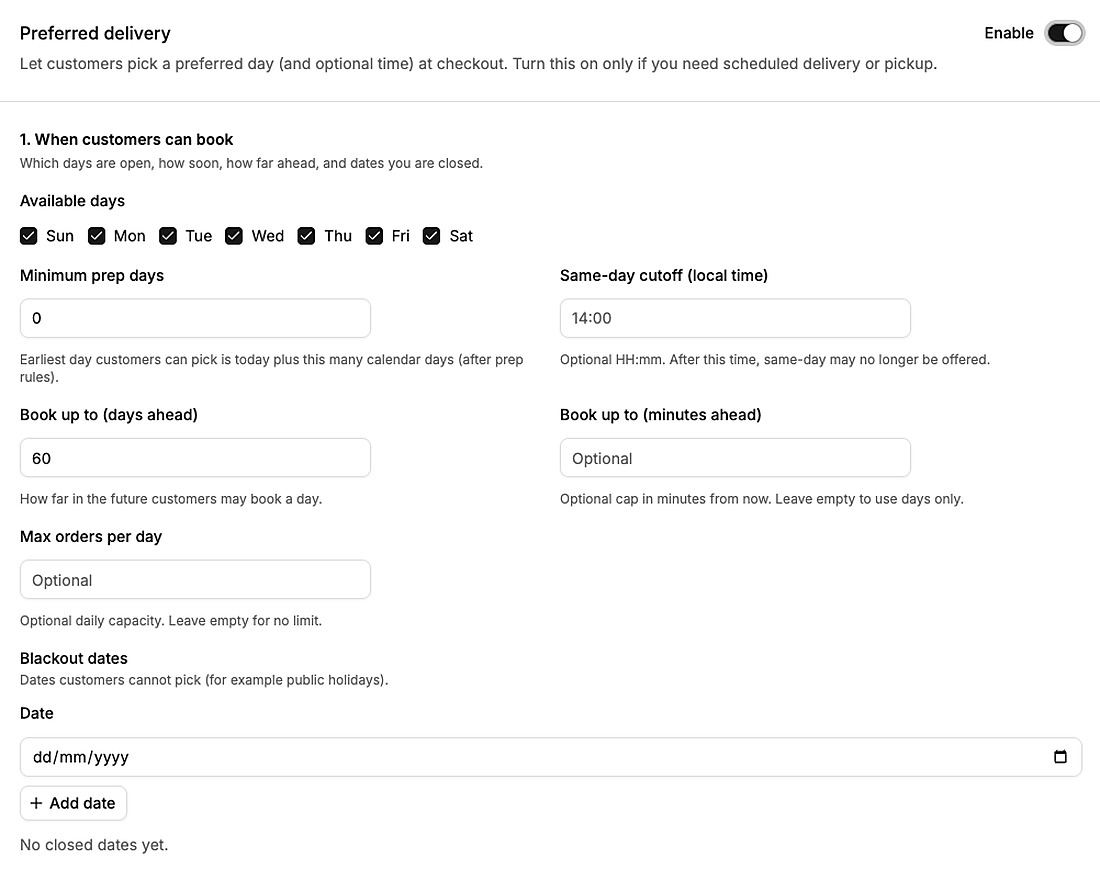
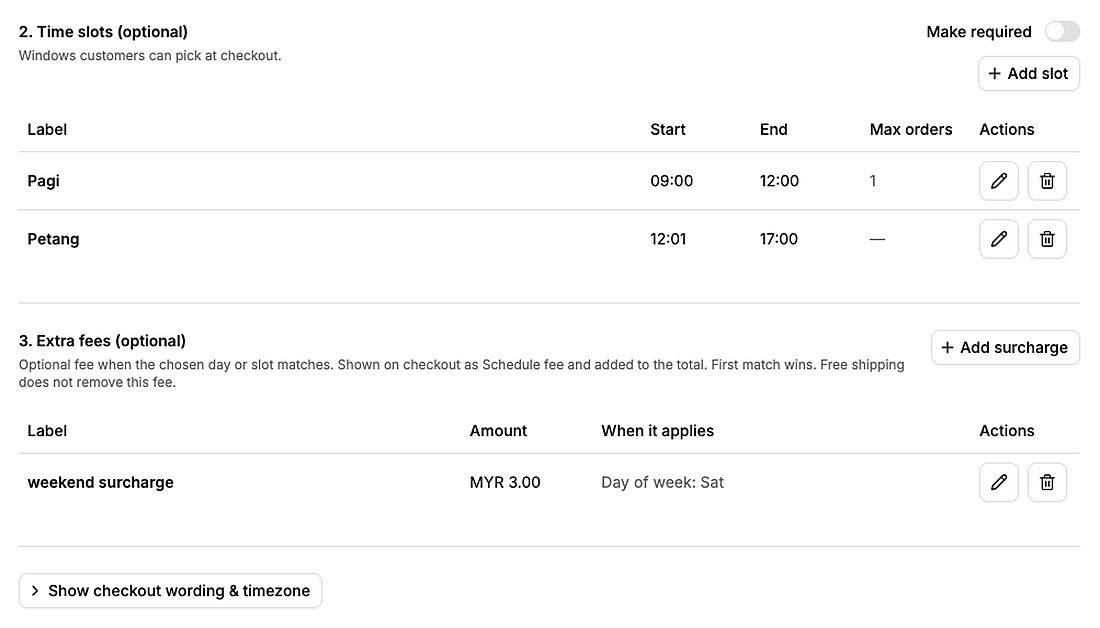
- Optional: time slots and fees. Add windows customers can pick (for example Pagi / Petang). Make them required if you need a slot, not only a day. Add a schedule fee when a day or slot should cost extra.
- Optional product prep lead. On a product, set Prep lead (minutes) when that item needs longer than the shop default.
- Test checkout. Confirm the day and slot appear, then check the window on the order in Admin.
Prep time is not a doorstep ETA promise. Parcel networks still run on their own schedules. Preferred day is for when you want the customer to choose.
What your customer sees
Checkout asks for a delivery date (and a time slot if you offer them). The window shows on the order and packing details. You fulfill when that window arrives.
Related: Same-day courier quoting when they need a rider today, and Guides.