Run a sale with a discount code
Updated 30 Aug 2026
You want a weekend sale without rewriting every price. A code at checkout is enough.
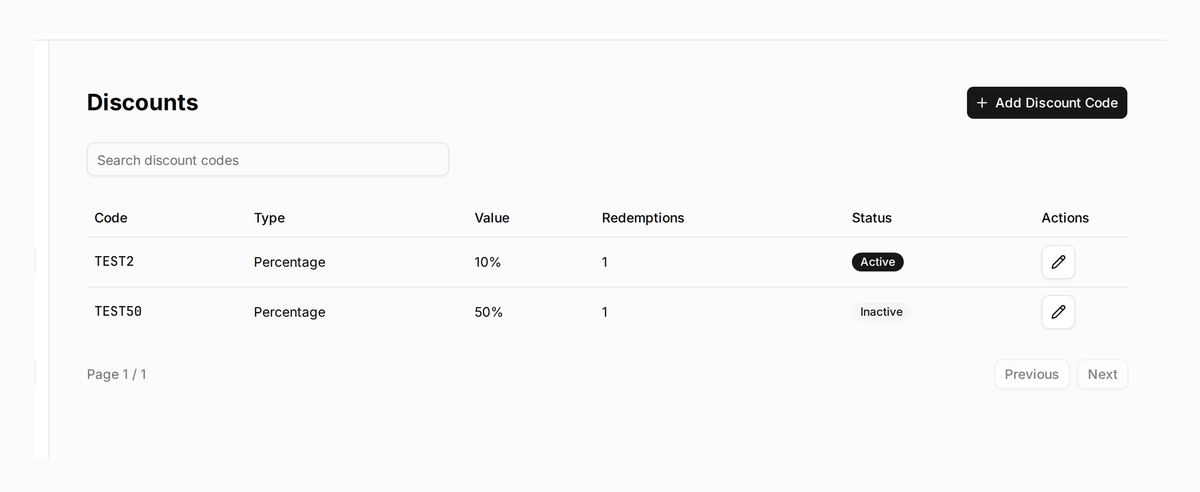
Under Catalogue → Discounts you create a code: percentage, fixed amount, or free shipping. Set limits and a schedule if you need them. Active means it works. Turn it off when the sale ends.
Who this is for
Launches, festive sales, influencer codes, “first order” offers — any shop that wants a typed code at checkout.
What DenoShop does here
- Percentage, fixed amount, or free shipping.
- Optional minimum subtotal, max redemptions, max per customer, schedule.
- Active flag you can turn off without deleting the code.
After the first redemption, type and value lock so history stays honest.
How to set it up
- Open Discounts. Admin → Catalogue → Discounts.
- Create a code. Choose type and value. Add limits or dates if you need them. Set Active. Save.
- Test at checkout. Enter the code exactly. Confirm the discount. For free shipping, make sure a shipping rate exists that can be waived.
- End the sale. Set Active off (or let the schedule end). You do not need to delete the code.
What your customer sees
A code field at checkout. They type it exactly. The total updates before they pay.
Related: the rest of the map under Guides.